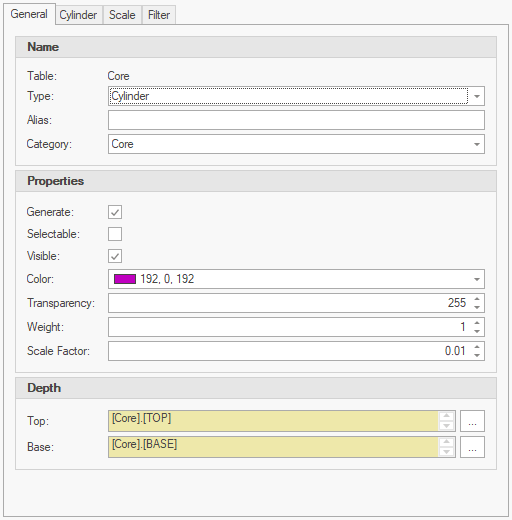
The General tab provides access to properties that are common across various layer types:
General
•Table - shows the table where data will be queried from when the template is used. This value is set when creating the layer template and cannot be changed.
•Type - defines the type of object that will be created for this template.
•Alias - overrides the template name with custom text when generating drawings with legends.
•Category - enables grouping of layers to simply searching of similar layers.
Properties
•Generate - indicates if the template will be used when the refresh option is selected.
•Selectable - indicates if the generated layer will be selectable when first generated.
•Visible - indicates if the generated layer will be visible when first generated.
•Color - defines the color of the generated objects on the resulting layer.
•Transparency - a value between 0-255 applicable to mesh based objects.
•Weight - line thickness or weight of surfaces (controls line weight in sections).
•Scaling - defines a unified scaling of the objects and related scale.
Depth
•Depending on the Type, either Top & Base or a single Depth will be required.
|
Data from tables with a single depth column can be simplified by using the same column in Top & Base expressions (i.e. CPT SBT) to group data with the same value. |
